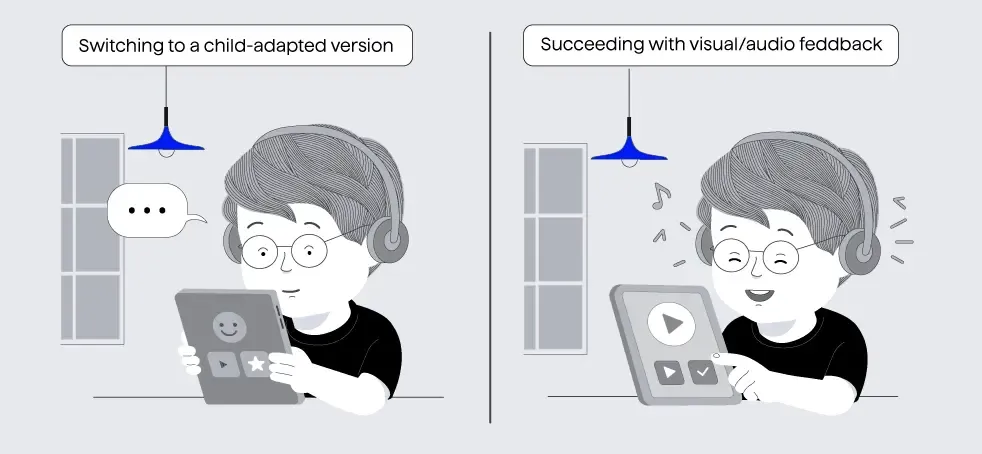
Children are continuously developing. Their physical, cognitive, and sensory abilities evolve continuously. What engages an 11-year-old may be entirely inaccessible to a 4-year-old.
Designing accessible experiences for them means grappling with challenges that go beyond the obvious. When it comes to screen readers in particular, designers must account for the significant differences in attention span, memory, spatial understanding and awareness, tactile and language comprehension factors that shift dramatically between age groups.
This blog explores what it truly means to design screen reader-based digital experiences that are not only inclusive, but empowering for children. If you’ve ever wondered how thumb span affects button layout, whether a six-year-old can reliably use swipe-to-dismiss, or what kind of audio tone helps a four-year-old understand an error message, this is for you.
Why this matters now more than ever:
In today’s digital world, screen readers are essential tools, especially for children with visual, learning or physical disabilities. Since the COVID-19 pandemic, usage of digital devices among children has skyrocketed. Yet most screen readers are built focused on adult behaviours, abilities and expectations. When these tools are visually cluttered, poorly structured, or mentally taxing to navigate, they increase cognitive load, leaving children overwhelmed, disengaged, and less likely to explore or absorb new information or struggle to learn or explore more effectively.
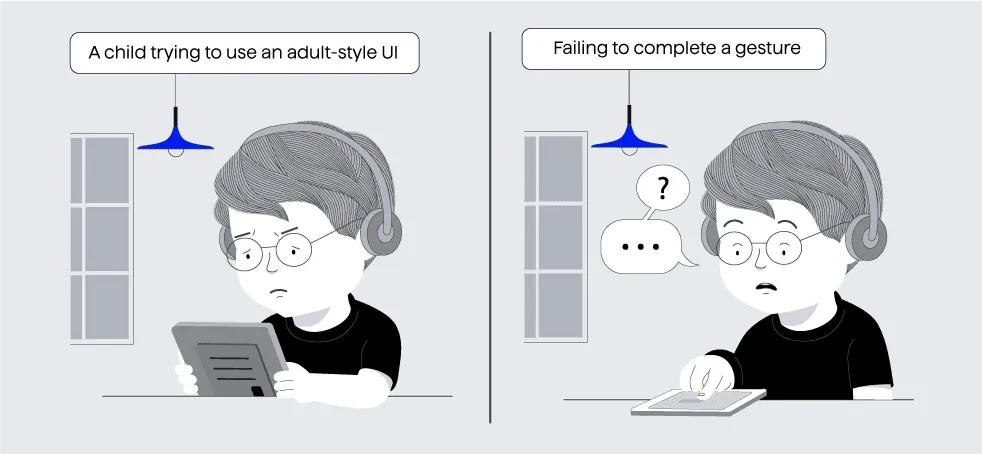
Children’s growth is dynamic in nature.It's constantly growing and changing, which makes static interaction models ineffective. Designing for children requires physical, sensory and behavioural adaptation.
The purpose of the blog is to focus on the real, hands-on experience children usually have when using screen readers:
- How do device size and placement impact posture and hand reach? Significance of having the device in the correct size and shape has a good impact on posture and hand reach.
- How does developing anatomy affect tap accuracy and gesture confidence?
- How do touch, colour, sound and haptics support navigation?
- Why do adult-first screen readers create unnecessary barriers?
- And what practical changes can create better, more inclusive tools for all ages?
Children often struggle with interfaces that have buttons too small for their reach, gestures that are too complex to remember or perform, and feedback that is either too fast, too abstract, or emotionally flat which has an impact on their behavioural trait of getting angry or frustrated easily. Additionally, the interaction flows tend to be rigid and confusing, offering little room for the kind of exploration and play that supports learning and engagement at a young age.
How children use screen readers
Based on the Jama study, here are our top 5 observations:
1. Children intuitively use basic gestures before they can read
Tapping and swiping come naturally to children as young as two or three, often learned through observation or trial and error. However, without the scaffolding of literacy, these gestures are not linked to any conceptual understanding of navigation, causality, or system feedback. This makes their interaction feel more like physical play than purposeful control.
2. Everything on screen feels tappable
Young children often treat every visual element such as icons, images, text as interactive. Their lack of understanding of design conventions means they don’t differentiate between static and interactive components. This leads to random tapping, frustration, and frequent errors, especially when nothing happens in response.
3. Complex gestures exceed their motor abilities
Gestures requiring coordination. Drag-and-drop, pinch-to-zoom, or multi-finger taps demand fine motor skills that are still developing in early childhood. Even simple hold-and-release actions can be misinterpreted or mistimed, resulting in unexpected behavior and a loss of confidence.
4. Temporal gestures pose a cognitive challenge
Gestures that rely on timing such as double-taps, long presses, or swipe-and-hold are particularly difficult. Children often can’t perceive or repeat these within the required time windows, especially when feedback is subtle or missing. Without clear audio or visual confirmation, they’re unsure if their action worked.
5. Exploration over instruction
Children learn best through experimentation. Interfaces that are too structured or require step-by-step compliance can feel restrictive and confusing. When exploration is met with unpredictable outcomes or dead ends, it not only hinders learning but also undermines their sense of agency.
How screen readers affect learning and development
Emotionally responsive design motivates exploration. Feedback that’s warm, encouraging, and emotionally expressive strengthens intrinsic motivation which is a key driver of early learning.
Adult support enhances comprehension. Studies show that digital reading is most effective when accompanied by an adult who can explain, guide, and engage the child in dialogue.
Screens alone are less effective than print. Young children tend to comprehend less when reading on screens without support, compared to reading physical books. (Source: Education Week)
Timely feedback and co-use improve outcomes. Features like immediate auditory or visual feedback, clear progress cues, and shared use with a caregiver significantly improve vocabulary acquisition, memory retention, and motivation to learn.
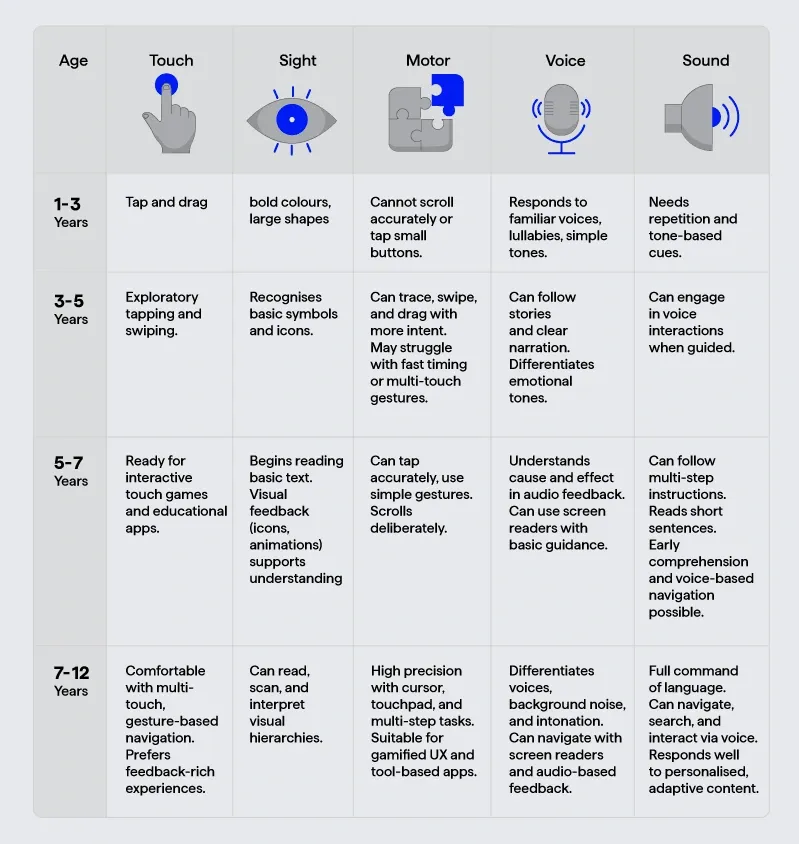
How age changes everything: visual, motor and sensory
The Design system 101 for child-centric experiences
Most established design systems such as Material Design and Apple’s Human Interface Guidelines design principles are built with keeping adult users in mind. When adapting these systems for children, especially those aged 3 to 12, thoughtful adjustments are essential:
- Increase padding and touch targets to account for smaller hands and developing motor skills.
- Replace icon-only controls with labelled buttons to support emerging literacy and reduce guesswork.
- Modify screen reader defaults, including slower voice speeds and more expressive tones to better match children’s processing abilities.
- Use existing libraries with caution. While adult-oriented systems offer structure, not all patterns translate well for young users.
- Restrict Adult only content with a black screen or a Pop up.
In many cases, it’s worth creating a custom component library, one that is grounded in child testing, accessible defaults, and developmentally appropriate interaction patterns to ensure the experience truly supports young users’ needs.